
How to import PDF sheet music into MuseScore
MuseScore Studio opens notation files, not pictures, so a PDF or photo of sheet music has to be converted by optical music recognition (OMR) first. You can use MuseScore's own online converter on MuseScore.com, the free desktop program Audiveris, or an online scanner such as PUJIAN. With PUJIAN, you upload the PDF or photo, play the result back to check it, fix mistakes in the browser, and export MusicXML, which MuseScore opens with File → Open.
Upload a scoreSign up with email3 free pages on sign-up · failed pages are not counted
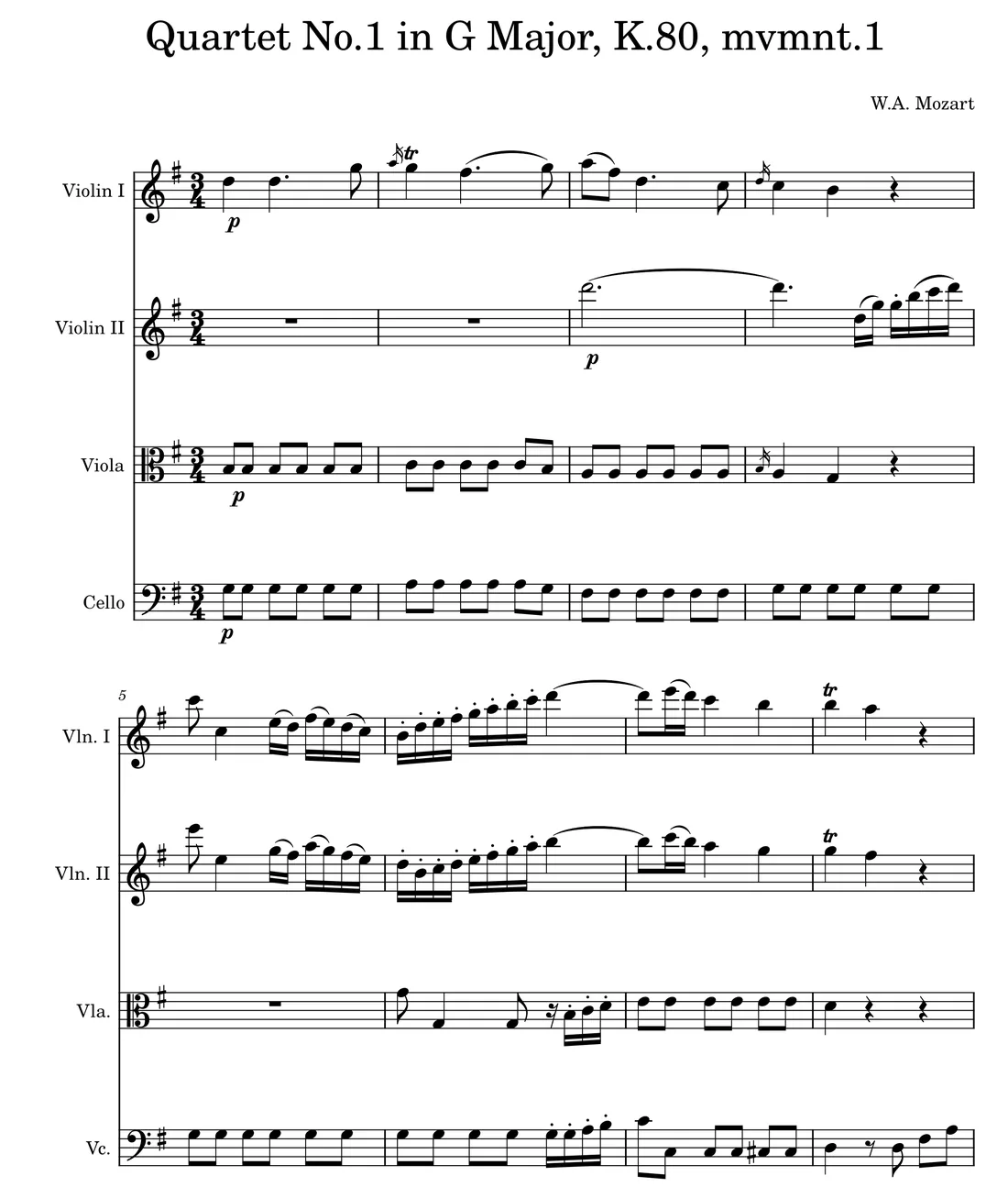
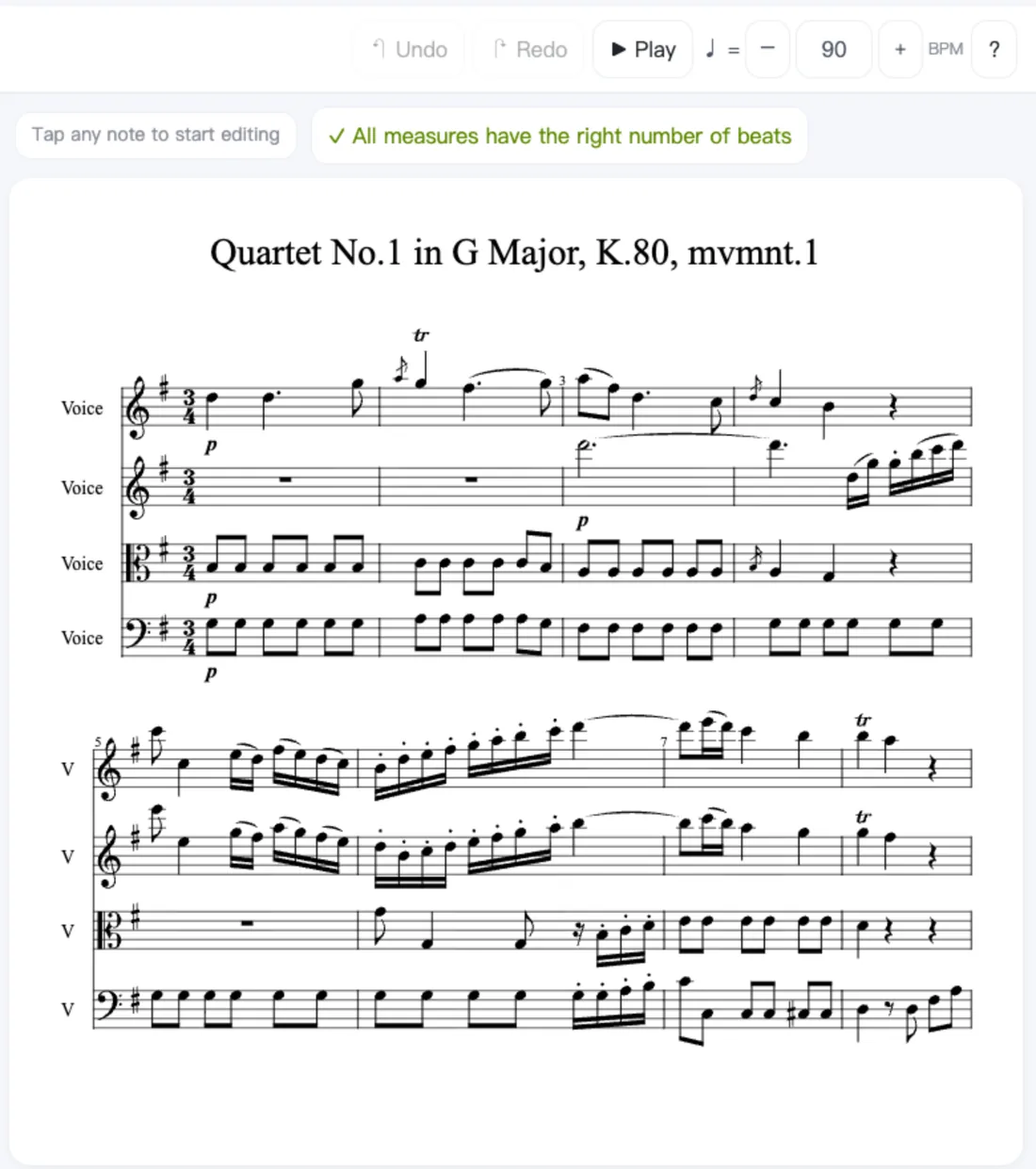
Import a PDF into MuseScore with PUJIAN
- Sign up with your email at seqnote.ink (3 free pages).
- Upload the PDF, a scan or phone photos of the printed score (up to 20 MB) and select the pages.
- When recognition is done, press play and listen. Wrong notes are easy to hear.
- Fix any mistakes in the online editor: click a note to change its pitch or duration. A beat check flags measures with too many or too few beats.
- Export MusicXML (paid plans and page packs).
- In MuseScore Studio, choose File → Open, pick the .musicxml file and save it as .mscz.
Three ways compared
| MuseScore.com converter | Audiveris | PUJIAN | |
|---|---|---|---|
| Where it runs | Online, on MuseScore.com | Desktop app you install (Windows, macOS, Linux) | Online, in the browser |
| Cost | Free with upload limits; unlimited with MuseScore Pro Plus (per MuseScore, Nov 2025) | Free, open source | 3 free pages; paid from $4.99 for 20 pages |
| Input | Uploaded sheet music file | PDF or image files | PDF, JPG, PNG, HEIC, WEBP, BMP |
| Output | MuseScore file (.mscz) | MusicXML | MusicXML, MIDI, PDF |
| Check before export | Online editor on MuseScore.com | Correction tools in the app | Playback with a moving cursor, online editor, beat check |
Which one to choose
- You already use MuseScore and your PDF is clean: try MuseScore's own converter first.
- You want a free, local tool and don't mind installing software: Audiveris.
- You start from phone photos, want to hear and fix the score before it reaches MuseScore, or also need MIDI, transposition or separate parts: PUJIAN.
Getting the best result
- Use the original PDF when you have it. It is sharper than a scan, and a scan is better than a photo.
- For photos, lay the page flat, shoot from directly above and avoid shadows.
- Recognize only the pages you need, and check repeats, ties and key changes in MuseScore after import.
- Every OMR tool makes some mistakes. Plan to proofread, especially dense or handwritten music.
What to check in MuseScore after import
- Instruments and staves: make sure each staff has the right instrument name, so playback sounds and parts come out right.
- Key and time signatures, especially changes in the middle of the piece.
- Repeats, first and second endings, D.C. and D.S. marks: they change how the music plays back.
- Ties vs. slurs: they look similar on the page, but a tie joins two notes into one sound.
- Pickup measures: an incomplete first measure should be marked as a pickup so the bar numbers line up.
- Lyrics and text: check syllables and hyphens if the piece is vocal.
Why convert before you open it in MuseScore
A PDF stores the look of the page: lines, dots and text placed on paper. MuseScore needs to know what each mark means: which note it is, how long it lasts and which staff and voice it belongs to. OMR software works that out and writes it to MusicXML, the format notation programs use to exchange scores. Proofreading the result before you open it in MuseScore saves time, because a wrong note is easier to spot when you can hear the score with the page next to it.
FAQ
- Can PUJIAN export a .mscz file?
- No. Export MusicXML, open it in MuseScore and save it as .mscz there.
- Will dynamics, slurs and lyrics come through?
- What PUJIAN recognizes, such as ties, slurs, staccato dots and dynamics, is written to the MusicXML. Small or unusual markings can be missed, so check them in MuseScore.
- Does this work for Sibelius, Finale or Dorico too?
- Yes. MusicXML is the standard exchange format, and all of them can open it.
- Can it read handwritten sheet music?
- Not reliably. PUJIAN is built for printed staff notation. Handwritten scores usually produce many errors, so we do not recommend them.
- Is PUJIAN free?
- You get 3 free pages when you sign up with your email. Recognition and playback work on the free pages. Exporting MusicXML or MIDI, the online editor, part splitting and vocal separation are included in paid plans and page packs (from $4.99 for 20 pages). Payments are processed by Creem.