
Sheet music scanner + online score editor
Snap a photo of sheet music. Edit it, hear it, transpose it.
Upload a phone photo, scan or PDF of printed music. PUJIAN turns it into a score you can fix note by note, play back with a cursor that follows the music, move to any key, split into parts and export as MusicXML or MIDI.
3 free pages when you sign up with email · failed pages are not counted · works in the browser
Recognition
From an image of a printed score to notes you can work with
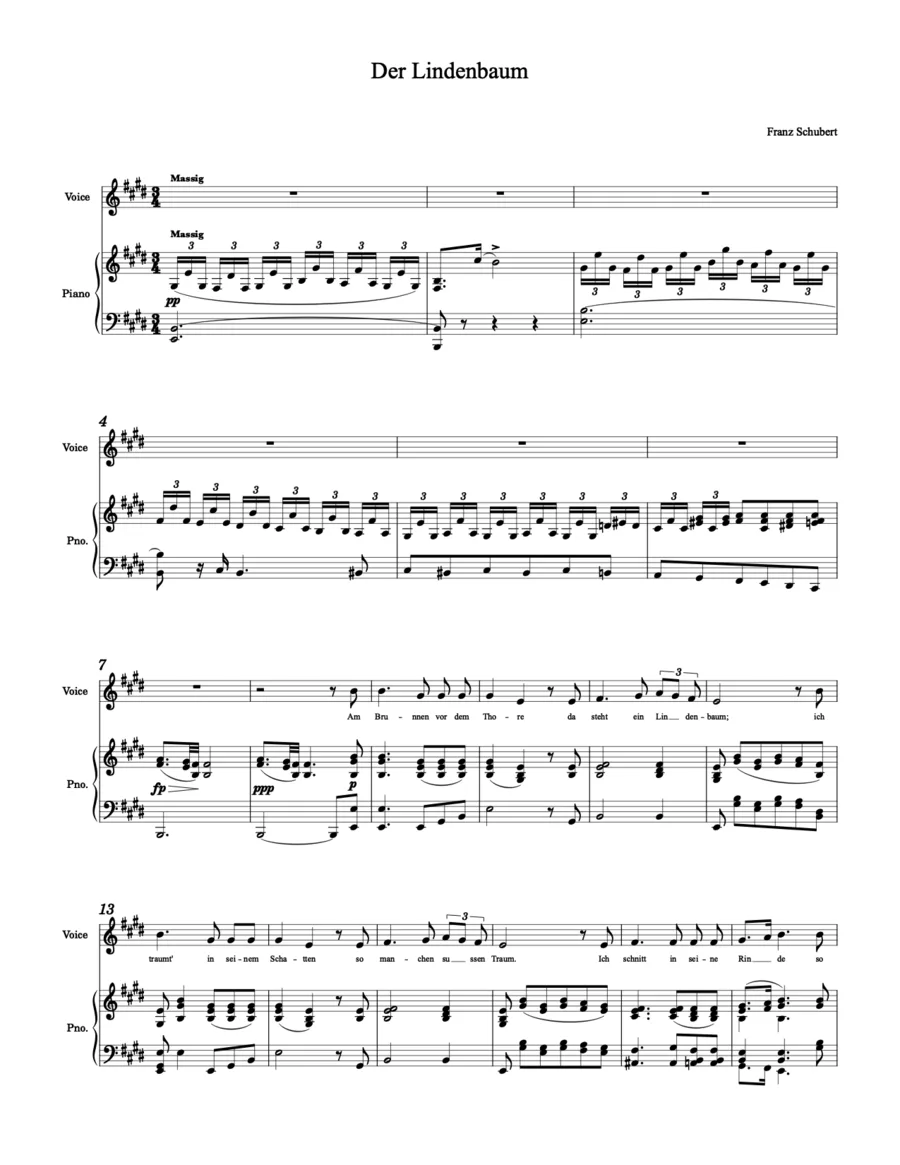
PUJIAN reads staff notation: notes, rests, rhythms, clefs, key and time signatures, ties and slurs, across multi-staff scores. Below is a real recognition result, not edited by hand.
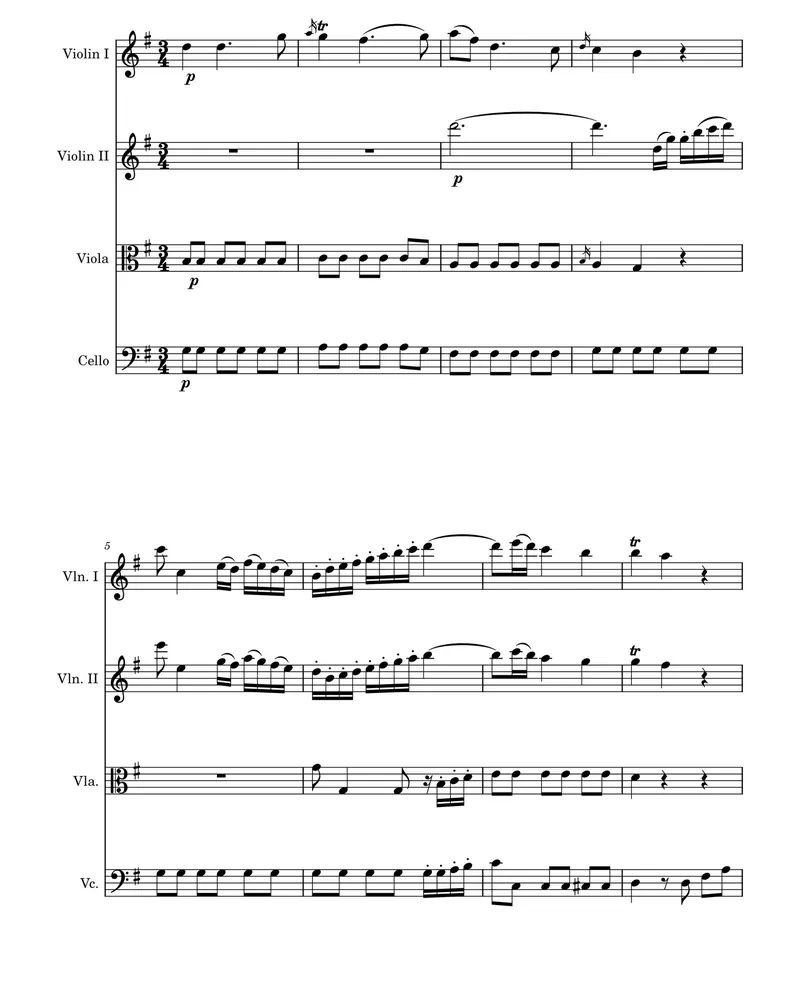
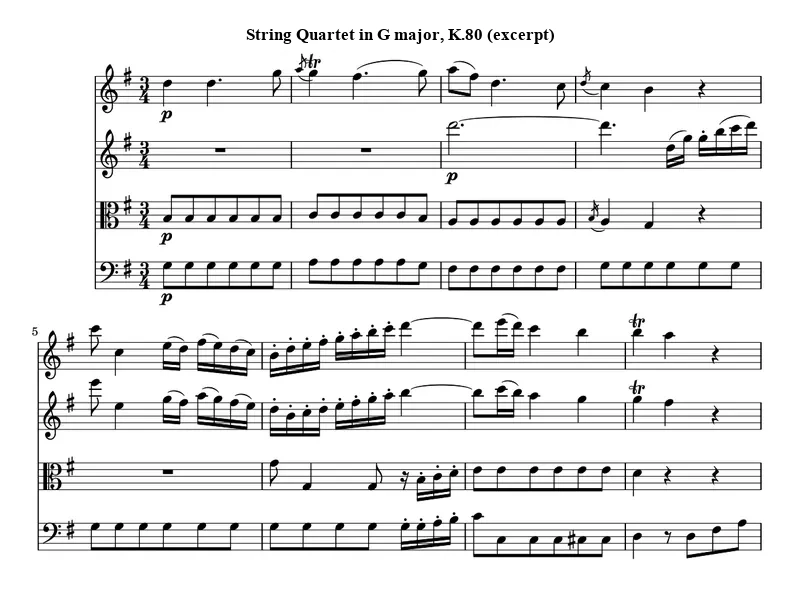
The example piece is in the public domain. We typeset the input image ourselves, and the result has not been edited by hand.
Edit online
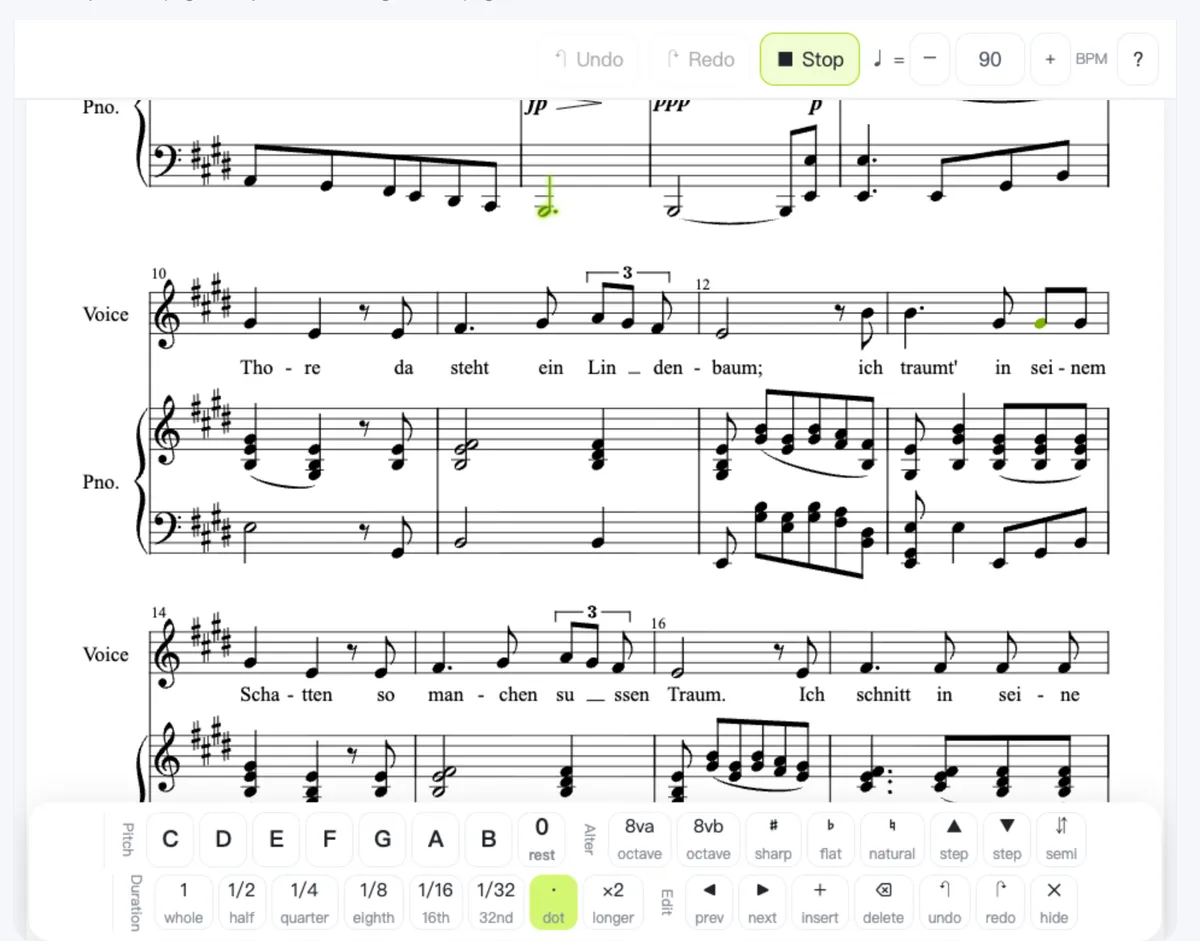
Click a note and fix it
- Change pitch with the letters C to B, add sharps, flats and naturals, or move a note by a step or an octave.
- Set note values from whole to 32nd notes, add dots, insert notes, delete them, turn a note into a rest.
- Every edit can be undone. A beat check tells you when a measure has too many or too few beats.
- Each keypad button has a keyboard shortcut, and the on-screen keypad works on tablets and phones.
Play along
Hear it, and watch the cursor follow the music
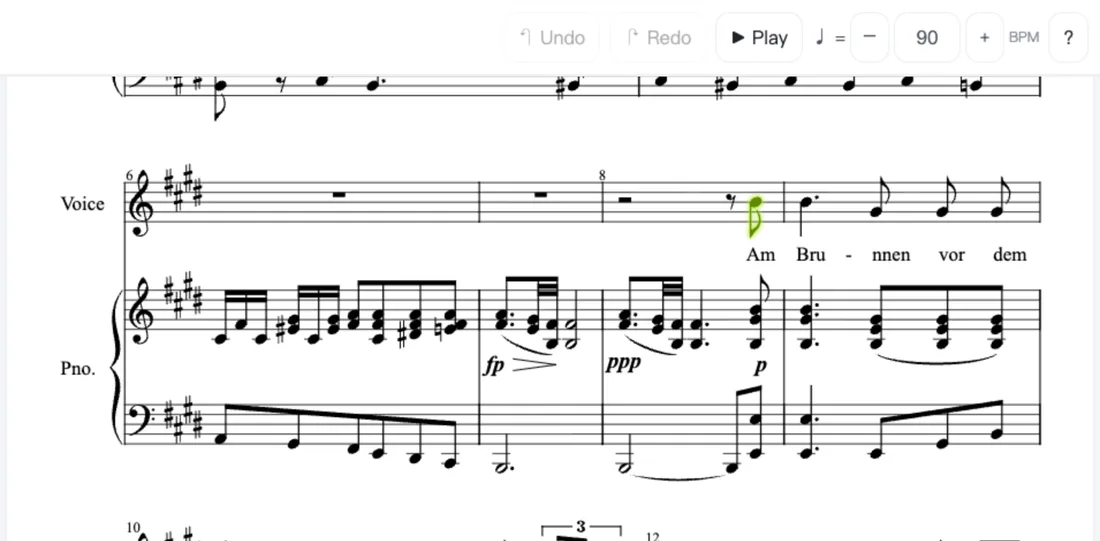
- Press Play (or Space) to hear the score at the correct pitch with a piano sound.
- The note being played lights up and the page scrolls with the music, so you always know where you are.
- Slow down or speed up the tempo to practice, and stop on any note to fix it.
- Wrong notes are easy to hear: listening is the fastest way to check a recognized score.
Transpose
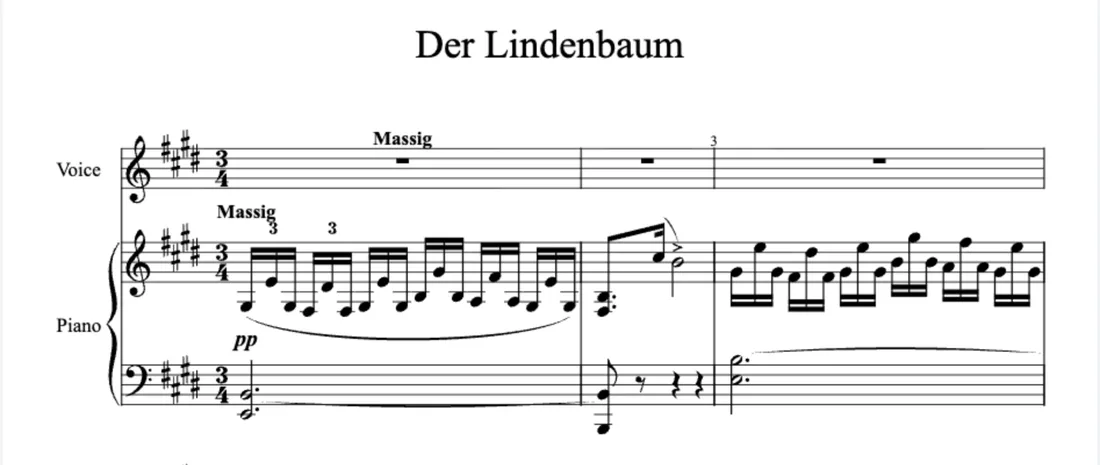
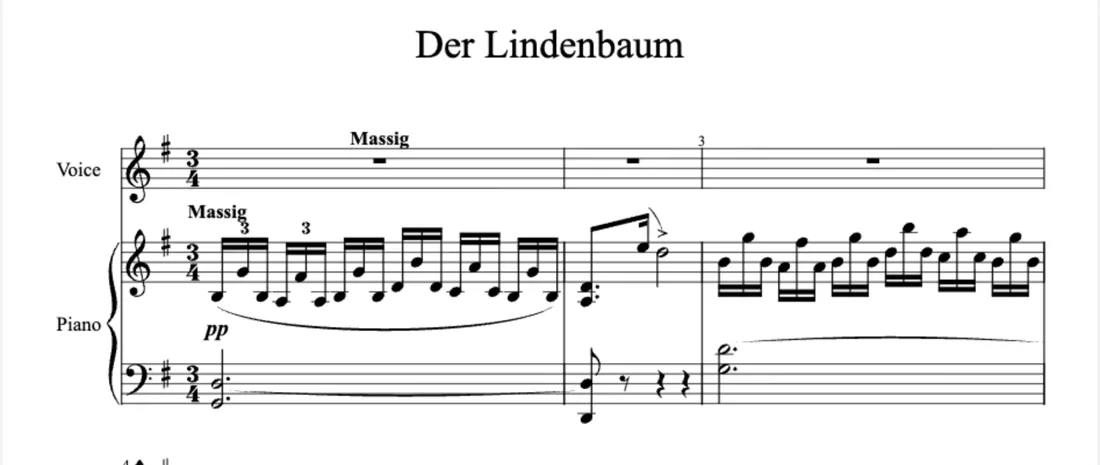
Move the whole score to a new key in one click
Pick the target key and PUJIAN rewrites the key signature, accidentals and every note in every part. Transposing a score from your library uses no pages.
Split parts
Get a separate part for each player or singer
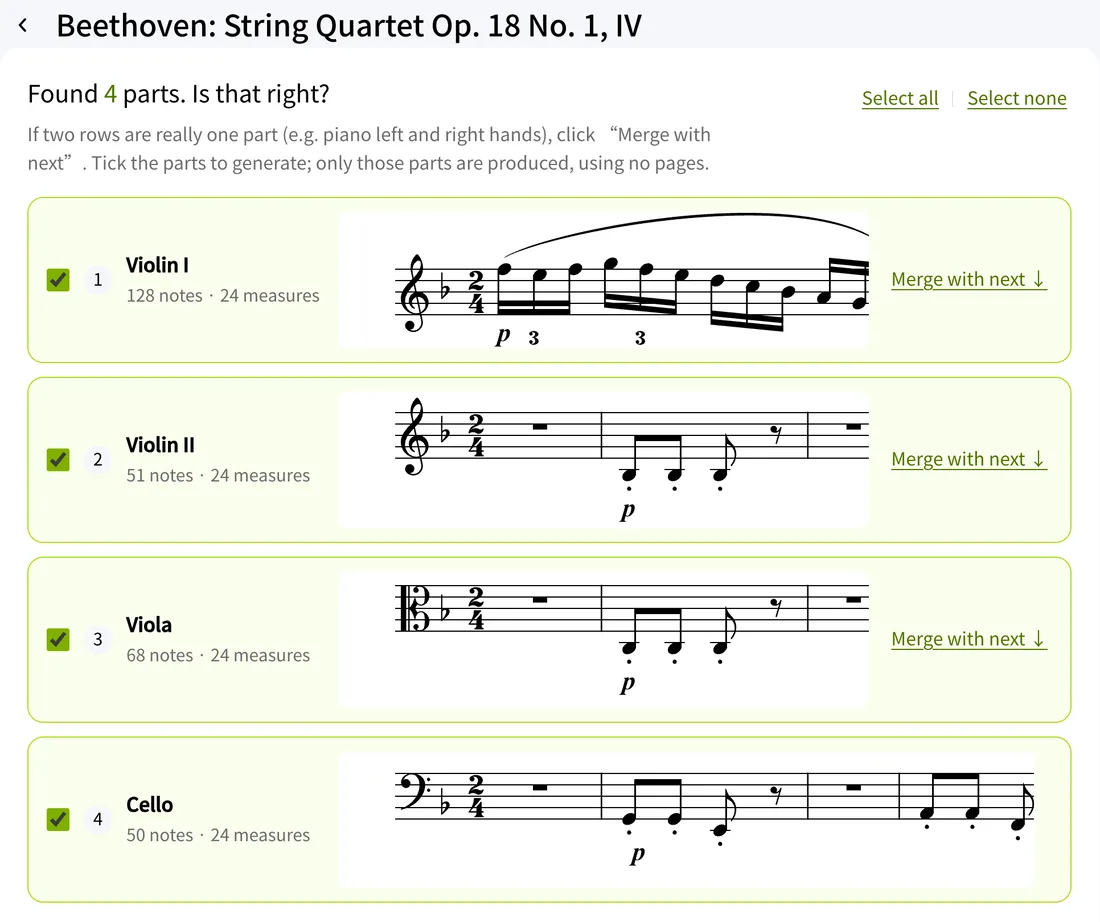
- PUJIAN finds the parts in a score, for example the four instruments of a string quartet, or the staves of a choir score.
- Merge rows that belong together, such as the two hands of a piano part, then choose which parts to generate.
- Each part becomes its own score you can play, transpose and export.
Export
Keep working in the tools you already use
MusicXML
Open in MuseScore, Sibelius, Finale or Dorico and keep editing.
MIDI
Import into GarageBand, Logic, Cubase or any DAW.
Print the score or a single part for rehearsal.
Example pieces are in the public domain (Schubert, Der Lindenbaum; Beethoven, String Quartet Op. 18 No. 1). We typeset the pages ourselves and loaded the scores into PUJIAN to take these screenshots.
How it works
- Sign up with email. We send a code, no password needed. You get 3 free pages.
- Upload a photo, scan or PDF of printed sheet music, or a MusicXML file.
- Recognize. A page usually takes from a few seconds to a couple of minutes.
- Play, fix and export. Listen, correct any wrong notes, transpose or split, then download.
Works best on clean printed scores and flat, evenly lit photos. Handwritten music is not supported well. Photo tips
Pricing
Free
- 3 free pages when you sign up with email, valid for 30 days
- Recognize photos and PDFs of printed staff notation
- View and play back (piano sound at the correct pitch)
- PDF export with watermark
- Library: up to 5 scores
Page pack
- 20 pages, use within 30 days
- Up to 20 pages per day
- Standard plan features while the pack is valid and has pages left
- No subscription
Standard
- 100 pages per month
- Up to 15 pages per day
- No watermark
- Export MusicXML and MIDI
- Online editor
- Part splitting and vocal separation
- Library: up to 300 scores
Pro
- Everything in Standard
- 300 pages per month
- Up to 40 pages per day
- Priority queue
- Unlimited library
Prices are in USD; any VAT or sales tax for your country is added at checkout. Payments are processed by our payment provider, Creem. Monthly plans last 30 days; yearly plans last 365 days with pages added every 30 days. Subscriptions renew automatically until you cancel.
FAQ
- What is PUJIAN?
- PUJIAN (谱间, seqnote.ink) is an online sheet music scanner (optical music recognition, OMR) with a built-in score editor. It turns photos, scans and PDFs of printed staff notation into scores you can edit, play back, transpose, split into parts and export as MusicXML or MIDI. It is made by Beijing Shengxu Intelligent Technology Co., Ltd.
- What files can I upload?
- Images (JPG, PNG, HEIC, WEBP, BMP) and PDF files up to 20 MB. MusicXML files can also be uploaded directly; they use no pages.
- How accurate is it?
- On clean printed scores, most notes are recognized correctly. Handwritten music and blurry or skewed photos are recognized poorly, and dense orchestral scores may need manual fixes. Play the result back and correct any wrong notes in the online editor.
- Do I need to install anything?
- No. PUJIAN runs in the browser on a computer, tablet or phone.
- Does the playback sing?
- No. Playback uses a piano sound to play the notes at the correct pitch and rhythm, and the note being played lights up. It does not sing lyrics or note names.
- How much does it cost?
- You get 3 free pages when you sign up with email, and failed pages are never counted. Paid options: a 20-page pack for $4.99, Standard at $7.99/month or $59/year (100 pages per month), and Pro at $15.99/month or $119/year (300 pages per month). The online editor, MusicXML/MIDI export and part splitting are included in paid plans and page packs.
- Where is my data stored?
- PUJIAN is operated from mainland China, and your account and files are stored on servers in mainland China. See the Privacy Policy for details.
Guides
- Sheet music to MusicXML: from paper to MuseScore, Sibelius or FinaleTurn printed sheet music into MusicXML. Photograph or scan a score, check the result by listening, then open it in MuseScore, Sibelius, Finale or Dorico.
- Photo to MIDI: turn a picture of sheet music into a MIDI fileConvert a photo or scan of printed sheet music into MIDI. Check it with piano playback, then export MIDI for GarageBand, Logic, Cubase or MuseScore.
- PDF to MusicXML: convert PDF sheet music into an editable scoreConvert PDF sheet music into MusicXML and MIDI online. Upload a PDF, choose the pages, play back the result, and open it in MuseScore, Sibelius or Finale.
- Choir part practice: photograph the score, split out your part and play itLearn your choir part without a piano. Photograph an SATB score, split it into parts by staff row, and play your part at the correct pitch, even at 0.75x.
- Sight-singing practice: hear the correct pitches of a printed scorePractice sight-singing without a piano. Photograph a printed score and play it back at the correct pitch, slowed to 0.75x if needed, to check your intonation.
- Online sheet music scanner: turn a photo or PDF of printed music into an editable scoreScan sheet music online: upload a phone photo, scan or PDF of printed staff notation and get an editable, playable score. Export MusicXML or MIDI. 3 free pages on sign-up.
- Transpose sheet music online: from a photo or PDF to a score in a new keyTranspose sheet music online: upload a photo or PDF of a printed score, pick the target key, and get the whole score with new key signature and notes. Play it back to check.
- How to photograph sheet music so it is recognized accuratelyHow to take a photo of sheet music so recognition works: lay the page flat, shoot from above, even light, one page per photo. Plus when a scan or PDF is better.
Try it on your own sheet music
3 free pages on email sign-up