
Extract instrument parts from a full score (photo or PDF)
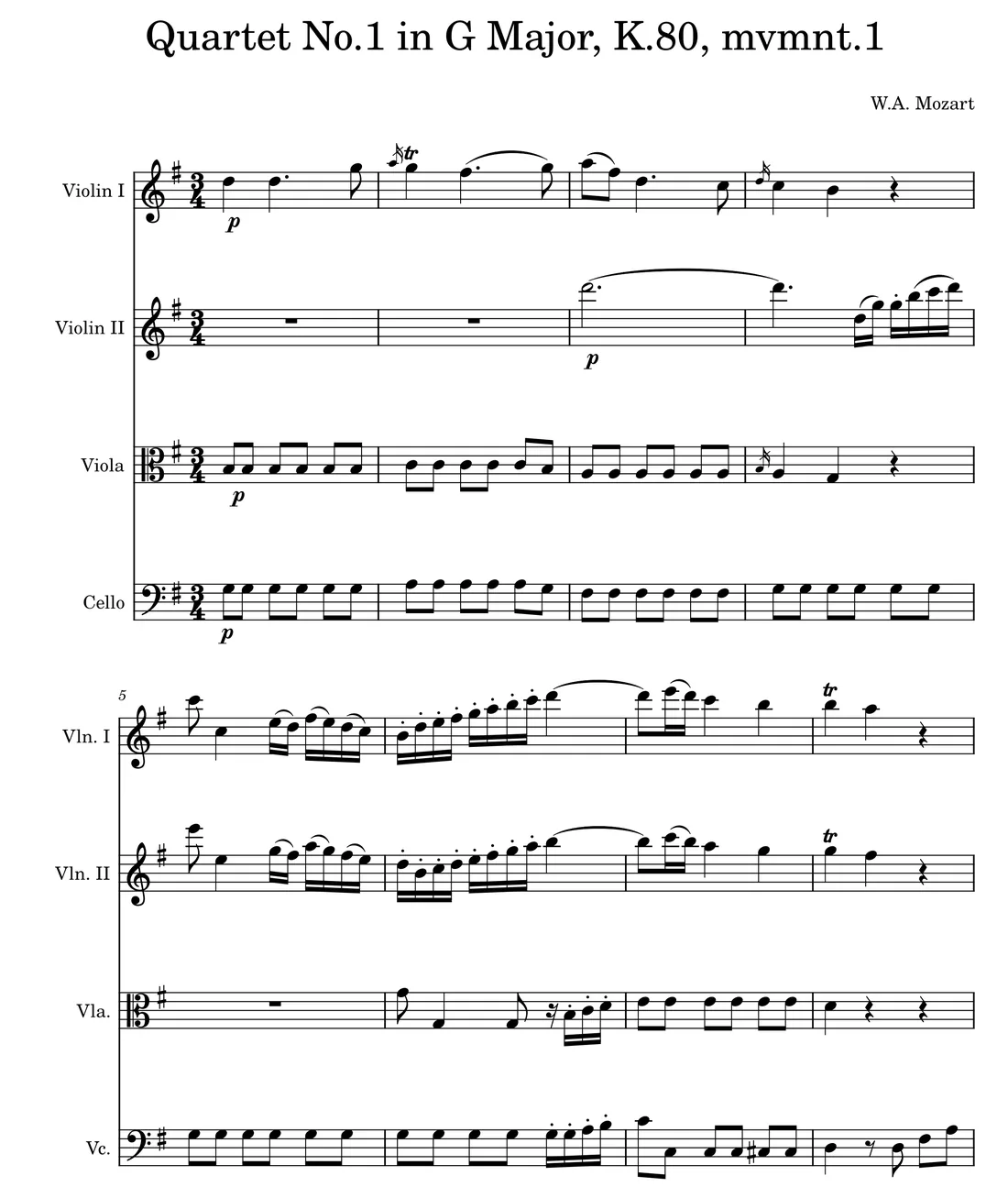
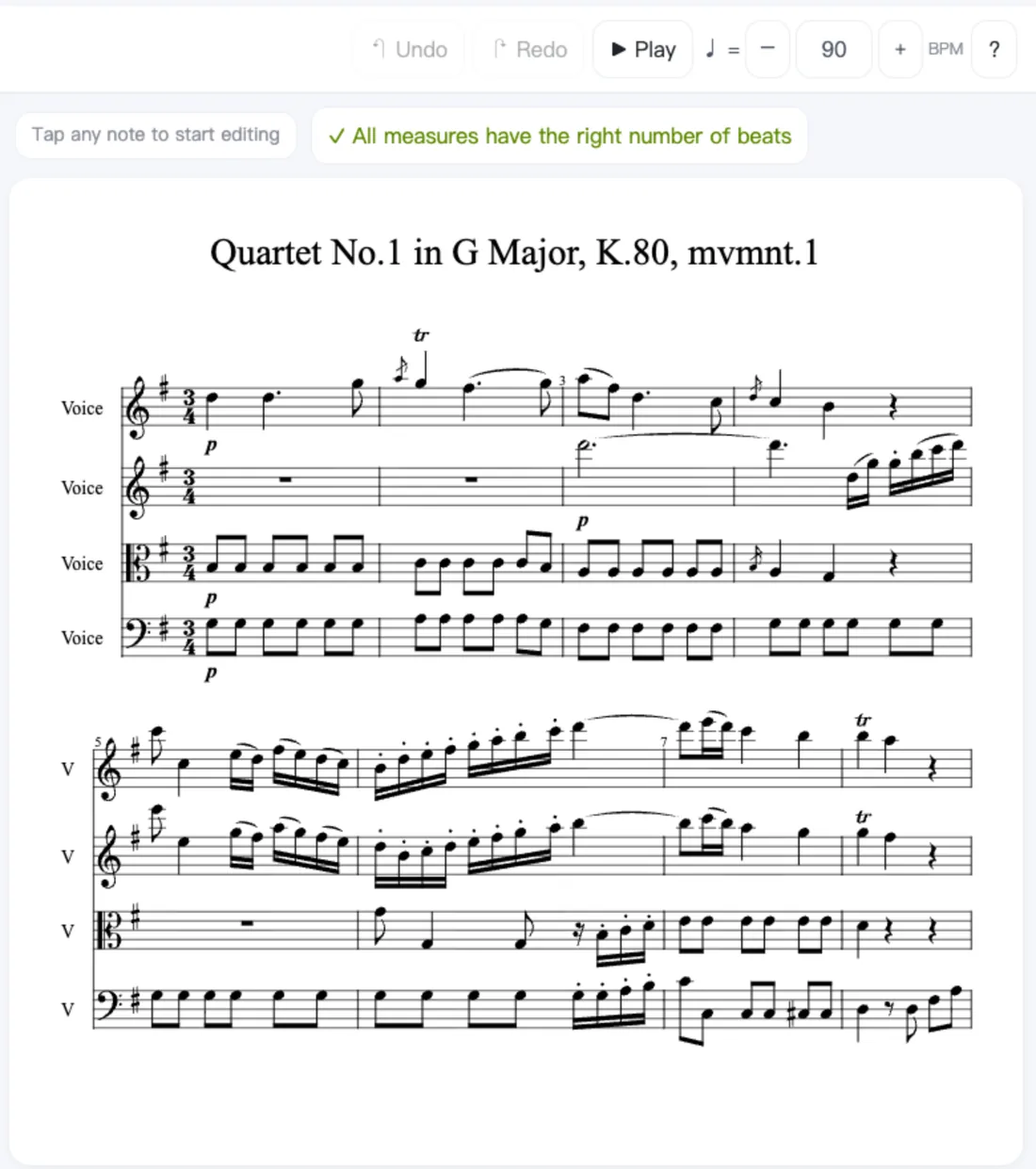
To get separate parts from a printed full score, upload a photo, scan or PDF of it to PUJIAN. After recognition, Split parts lists the staff rows it found, for example Violin I, Violin II, Viola and Cello in a string quartet, with the number of notes and measures in each. You merge rows that belong to one player, such as the two staves of a piano, tick the parts you need and generate them. Each part can be played, transposed and exported as MusicXML, MIDI or PDF.
Upload a scoreSign up with email3 free pages on sign-up · failed pages are not counted
Steps
- Sign up with your email at seqnote.ink (3 free pages for recognition).
- Upload the score: a PDF, a scan, or one photo per page. Select the pages to recognize.
- Open the recognized score and choose Split parts.
- Check the list of rows. Compare the number of parts and measures with the printed score.
- Merge rows that belong together with Merge with next, for example the right and left hand of a piano.
- Tick the parts you want and generate them. This uses no pages and usually takes 10 to 20 seconds per part.
- Play each part to check it, then export MusicXML, MIDI or PDF (paid plans and page packs).
What works well
- String quartets and other chamber music with one staff per player.
- Piano trios and sonatas with a piano part: merge the two piano staves into one part.
- Scores where every system shows the same instruments in the same order.
What needs checking
- Shared staves: two players on one staff, such as Flute 1 and 2, stay together in one part. PUJIAN splits by staff row, not by voice.
- Scores that hide empty staves on some systems: check each part's measure count against the original.
- Instrument names: PUJIAN may not read the printed names, so parts can get generic names. Rename them in your notation program.
- Transposing instruments are kept as printed: a B-flat clarinet part stays in the written key, and playback plays it as written.
- Large orchestral scores with many staves may need manual fixes after recognition.
Other ways to get parts
| Method | Starting point | Good for |
|---|---|---|
| PUJIAN Split parts | Photo, scan or PDF of a printed score | Getting playable, exportable parts from paper or PDF |
| Parts in MuseScore, Sibelius, Dorico or Finale | A notation file (.mscz, MusicXML) | Scores you already have as a file; layout and part formatting for printing |
| Buying or downloading published parts | Publisher or library | Concert use where an edition's parts are available |
FAQ
- Does splitting use extra pages?
- No. Pages are used for recognition. Generating parts from a recognized score uses no pages.
- Can I split a choir score the same way?
- Yes. See the guide on splitting SATB choir parts; open scores give one part per voice.
- Can I transpose one part only?
- Yes. Generate the part, then transpose it on its own, for example for a clarinet or saxophone player.
- How accurate is the recognition?
- On clean printed scores, most notes are recognized correctly. Handwritten music, blurry or skewed photos and dense orchestral scores give more errors. You can listen to the result and fix wrong notes in the online editor.
- Is PUJIAN free?
- You get 3 free pages when you sign up with your email. Recognition and playback work on the free pages. Exporting MusicXML or MIDI, the online editor, part splitting and vocal separation are included in paid plans and page packs (from $4.99 for 20 pages). Payments are processed by Creem.